Restaurant POS · Custom software service
Custom Restaurant Management System (POS, KOT & Inventory)
A custom restaurant management system unites table-side order taking, Kitchen Order Ticket (KOT) routing, GST thermal billing, and recipe-level inventory tracking in one place. Unlike rigid SaaS tools that charge per terminal every month, we tailor the workflow to your floor plan, menu modifiers, and offline reliability requirements.
Who is Restaurant POS built for?
Our restaurant software is built for Indian hospitality operators who handle fast table turns, multiple dining zones, or heavy takeaway volumes and want software that matches their kitchen workflow instead of forcing staff into generic templates.
Highway Dhabas & Family Restaurants
Fast table-wise billing, AC vs non-AC pricing tiers, and zero lag during weekend rushes.
Cafes, Bakeries & QSR Counters
Quick-touch item grids, combo modifiers, takeaway tokens, and instant UPI/cash reconciliation.
Cloud Kitchens & Multi-Outlet Brands
Centralized menu control, multi-kitchen routing, and consolidated daily owner dashboards.
Hotel In-House Dining
Direct room-post capability so restaurant bills flow directly onto a hotel guest folio.
What operational problems does it solve?
Most small restaurants lose money between handwritten paper slips, missed kitchen add-ons, and untracked raw material usage. Connecting your cashier, captain tablets, kitchen display, and store room stops billing leakage immediately.
Lost or unreadable handwritten KOT slips
Digital KOTs route directly to kitchen printers or KDS screens with timestamps and station grouping.
Billing stops when Wi-Fi disconnects
Offline-first local caching lets staff print GST bills and KOTs without internet, then syncs automatically.
Unexplained raw material shortage & food wastage
Recipe-linked inventory deducts paneer, flour, oil, and beverages on every order automatically.
End-of-day cash mismatch across shifts
Role-locked void/discount permissions with clear shift-close cash, UPI, and card summaries.
What features are included?
Every restaurant system includes the core billing, kitchen, inventory, and reporting tools required on day one, with optional modules added only if your outlet needs them.
Visual Table Floor Map
See open, occupied, running-KOT, and bill-printed tables at a glance.
Instant KOT & KDS Routing
Split tickets across tandoor, Chinese, beverage, or dessert stations automatically.
GST & Thermal ESC/POS Printing
Supports standard 80mm and 58mm thermal printers with CGST/SGST breakdowns.
Split, Merge & Transfer Tables
Move guests between tables or split bills by seat or item in two taps.
Recipe-Level Stock Control
Track purchase entries, daily consumption, and low-stock WhatsApp alerts.
Owner Daily WhatsApp Digest
Receive net sales, void logs, and top items on WhatsApp every night at close.
How does implementation work?
We configure your restaurant system around your real menu, tax rules, and printer hardware before rolling it out on-site or via guided training. Your team starts taking orders cleanly without interrupting daily service.
Menu & Floor Audit
We import your items, variants, tax slabs, and dining zone layout.
Custom POS Setup
Touchscreen billing screens and kitchen routes are configured for speed.
Printer & Device Pairing
Connect existing billing PCs, captain Android tablets, and thermal printers.
Go-Live & Staff Training
Hands-on cashier and kitchen walkthrough with direct founder support.
How long does it take to launch?
A standard single-outlet restaurant management system takes 4 to 6 weeks from kickoff to go-live, while multi-outlet chains with centralized inventory and custom integrations typically take 6 to 8 weeks.
How much does Restaurant POS cost?
POS, billing, inventory and integrations vary significantly. Instead of locking you into rising per-terminal monthly subscriptions forever, we scope your custom restaurant system after a quick workflow call for a clear project fee where you own your database.
Pricing approach
Custom quote tailored to POS, billing & integration scope
- One-time custom development fee scoped around your terminals, KDS, inventory, and integrations
- No per-order commission or hidden percentage cuts on your daily revenue
- Optional maintenance (AMC) for cloud backups, WhatsApp API costs, and updates
What technology powers this system?
We build with proven, non-proprietary web and database technologies so your system stays fast, secure, and maintainable by any senior engineer in the future.
- Next.js
- React
- TypeScript
- Node.js
- PostgreSQL
- IndexedDB Offline Sync
- ESC/POS Thermal Printing
- WhatsApp Cloud API
Related projects & capability blueprints
 Sample project
Restaurant
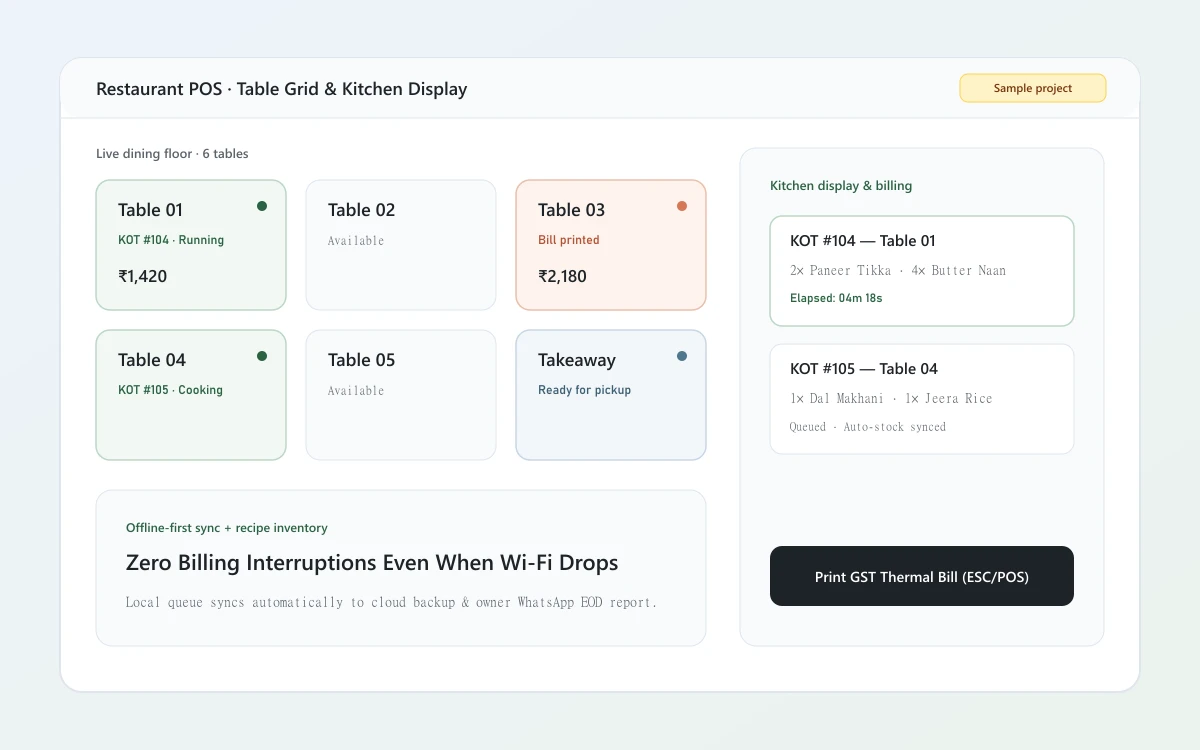
Restaurant POS & Kitchen Display
A complete restaurant management system with table-wise billing, KOT generation, kitchen display, and end-of-day reports. Demonstrates our restaurant software capabilities.
Web
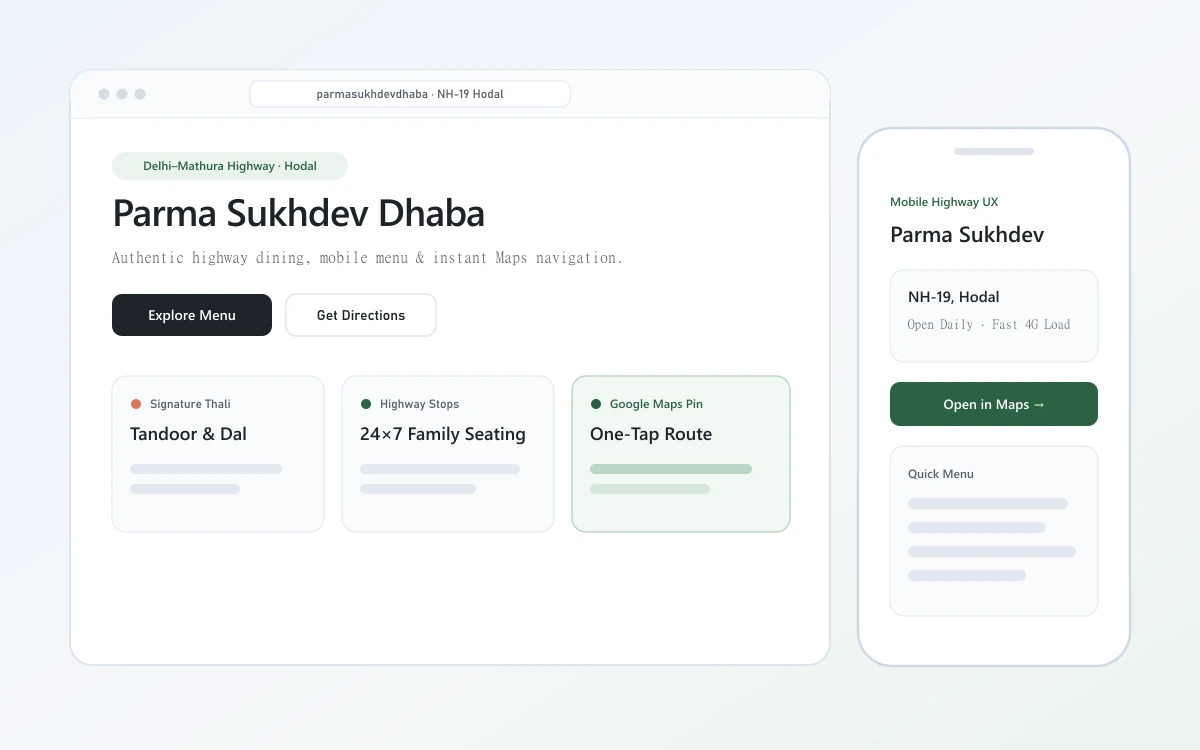
Parma Sukhdev Dhaba — Website
A fast, mobile-first website for one of the most iconic dhabas on the Delhi–Mathura Highway in Hodal. Built to showcase their legacy, menu, and location to highway travellers searching on their phones.
Frequently asked questions
How much does a restaurant management system cost in India?
Do I need internet for restaurant billing software?
Should a small restaurant choose custom software or ready-made POS?
Can your restaurant POS work with existing thermal printers and tablets?
Does the billing software support Indian GST invoices and multiple tax slabs?
How long does it take to train restaurant staff to use the system?
Other systems we build
Ready to build your restaurant pos?
Talk directly with the founders. Share how your business operates today and we'll give you an honest timeline, scope, and estimate. Protocol received. We’ll initiate a response within 24 hours.